

For an SMS to reach a customer in another country you need both gates open: Assistant's and your provider's. With only one, it does not go out.
Assistant's gate. In Settings → Notification - File, on the countries row, press MANAGE COUNTRIES. Your shop's country is always active; add the others with the search box and remove the ones you no longer use.
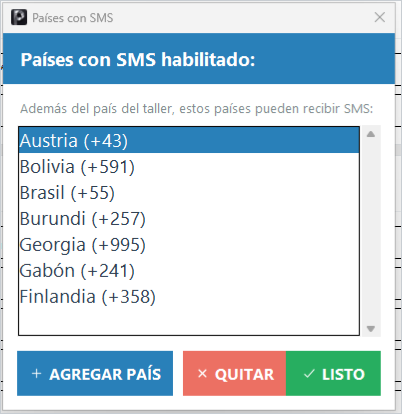
Assistant checks each number's country before sending: if it is not on your list, the notice is skipped with the reason in plain sight, without spending the send.
The provider's gate. In your provider's portal, enable those same countries. Telnyx calls it Allowed destinations; Twilio, Geographic Permissions. International sends usually cost more and some countries require extra sender requirements.
The number type rules. A United States toll-free sender only reaches the United States, Canada, and Puerto Rico: for more destinations you need another sender type, contracted with your provider. And the customer's number must be a mobile: landlines do not receive SMS and the provider rejects them with an error. Fix the number on the order and use Retry.