

Vouchers with QR and barcode
Every order prints its voucher with folio, QR and barcode. The client returns, you scan, and their order opens instantly.
Start solo, grow without paying more. No fee per technician or per location. Works without internet.
No credit card. It installs on your computer.
A real day of work, not a demo.
The norm in this software is charging you for every technician and every store.
and it keeps climbing while you read this
Typical shop software charges ~$39 a month per user, or $49–199 a month per store. Every month. Month after month. Forever.
Every technician you hire raises it.
Move it yourself. Nobody has to convince you.
Public price ranges for shop software, July 2026. Each vendor publishes them on its own site.
Assistant lives on your computer, not in someone else’s cloud. When the connection fails, you keep charging.
Your subscription expired. To see your orders and your clients, renew the payment.
Update payment methodIllustrative recreation. (Code 402 exists: it means exactly that.)

You don’t have to change how you work to fit a system. Pick your scheme and the interface fits you.
You work alone: touch-first, two taps, no receptionist. Take in, photograph, print and get back to repairing.
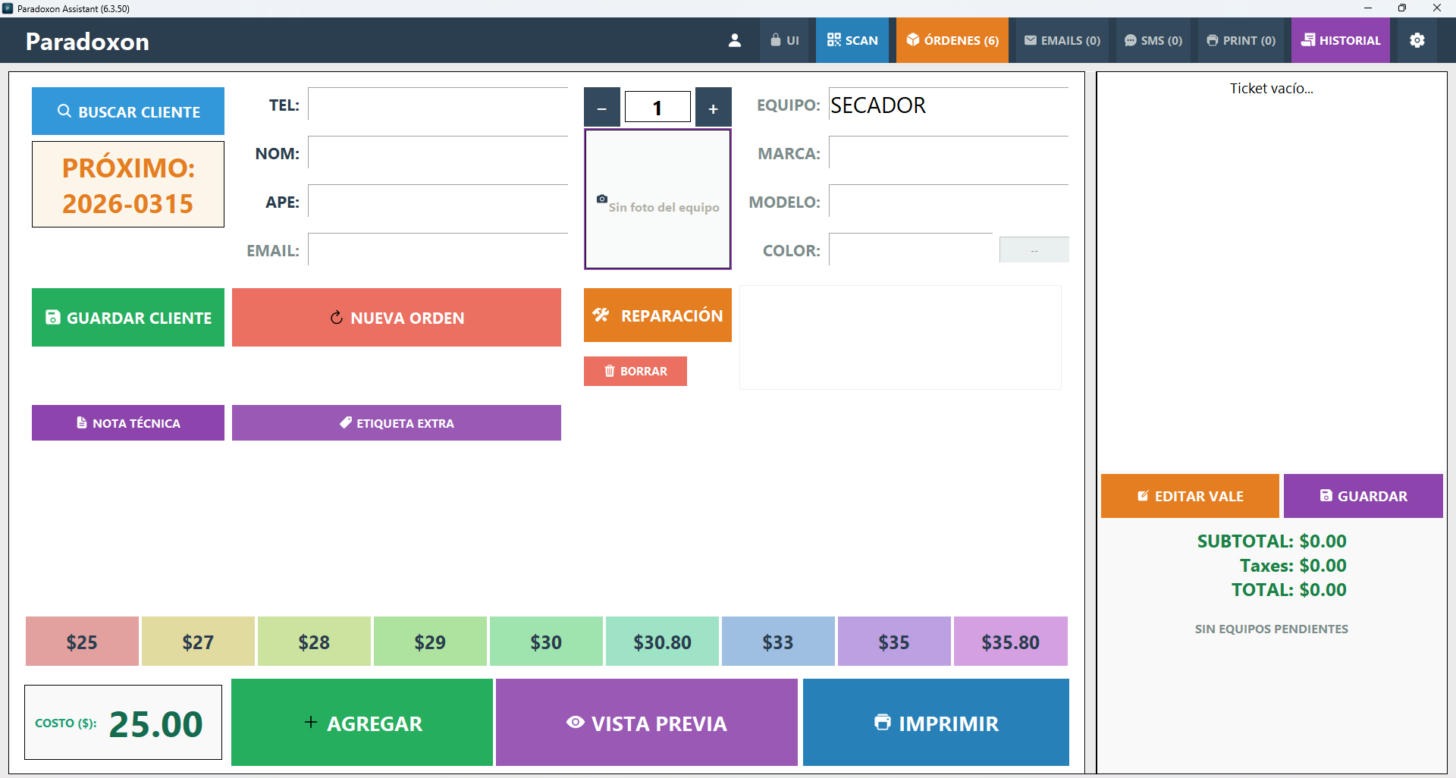
Rental software charges you for every person you add. With Assistant, hiring your first technician or opening another location costs exactly zero.
| Your team | Typical rent per year | Assistant annual | Assistant one-time |
|---|---|---|---|
| 1 technician | $468 | $699 | $1,999 once |
| 2 technicians | $936 | $699 | $1,999 once |
| 5 technicians | $2,340 | $699 | $1,999 once |
| 10 technicians | $4,680 | $699 | $1,999 once |
| 20 technicians | $9,360 | $699 | $1,999 once |
Typical rent computed at ~$39 per user per month — public market range, July 2026.
Every order prints its voucher with folio, QR and barcode. The client returns, you scan, and their order opens instantly.
A front-counter screen built for fingers — two taps and the equipment is registered. Plus a PWA for a second intake point.
Photograph the equipment at intake; the image stays on the order as a record of its condition entering the shop.
The client finds out on their own — received, ready, delivered. Visible queues so nothing goes unsent.
Piecework, commission or whole-shop — each person’s count, no separate spreadsheet.
The Flex-Editor builds vouchers and labels with your logo, your texts and dynamic tags, drag and drop.


Assistant was born on a repair shop counter: you use it with your hand, standing up and in a hurry. That is why every screen is built from big buttons — so the technician can serve customers alone, with no secretary and no helper.
Big buttons, everything one tap away. The technician works standing, hands full of tools, without hunting for a cursor. Recommended: a 22-inch touch monitor.
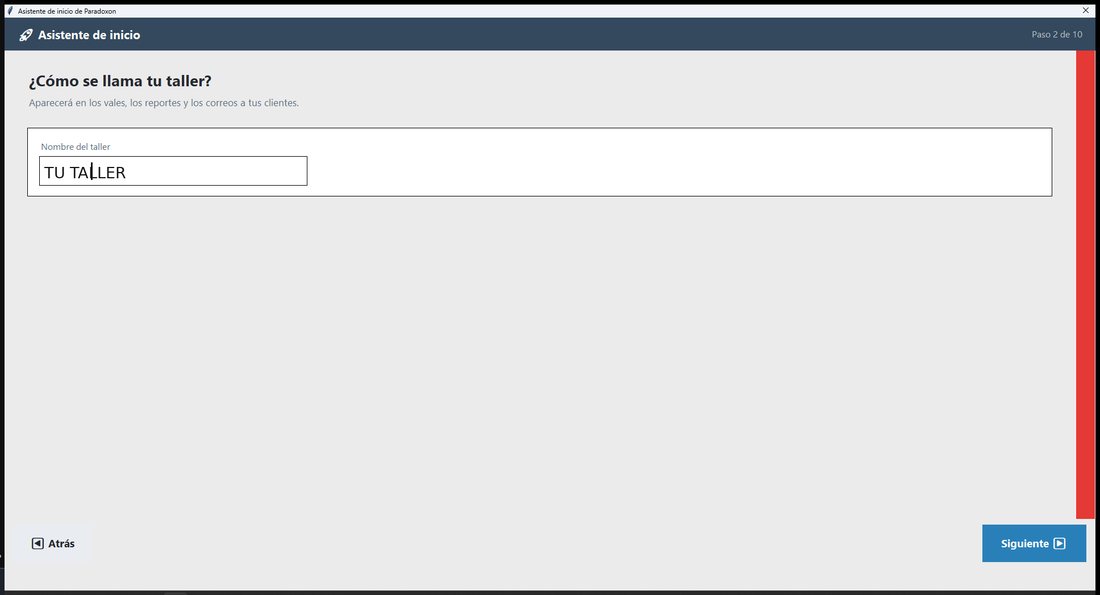
Names, notes, addresses. Screen and keyboard together are the combination that pays off most at the counter — and with no physical keyboard, the on-screen one does the job.
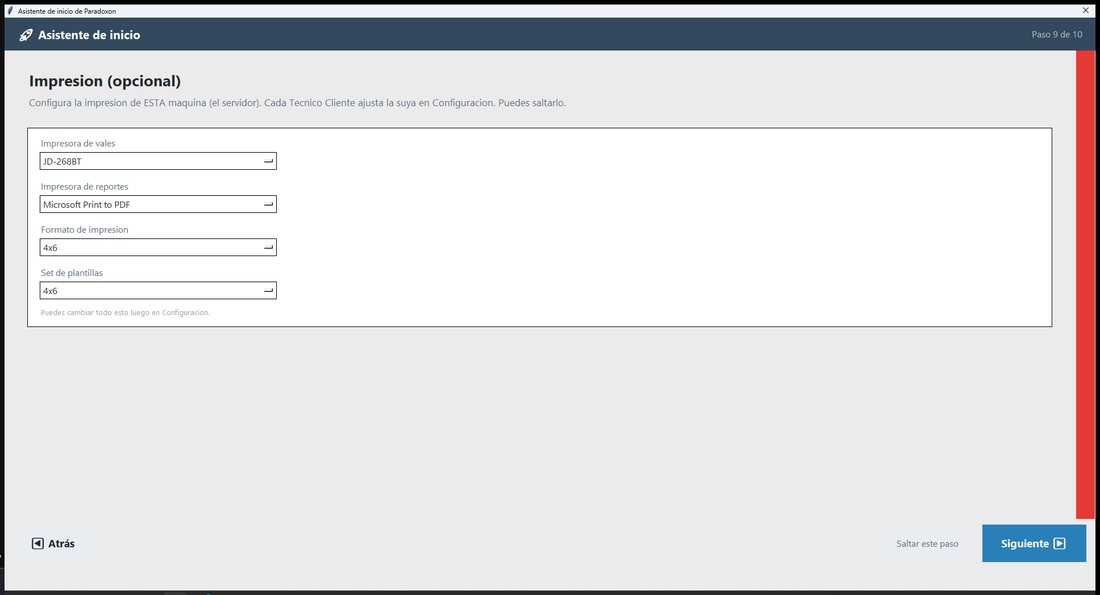
Settings, catalogs, templates and prices: seated and precise. Each tool where it works best.
The ideal setup: touch screen, keyboard and mouse available at once — each one steps in where it pays off most. With all three, the counter never stops.
Assistant prints the ticket in the format you already use, on the printer you already own. Every format comes with its own template, and you edit it your way.

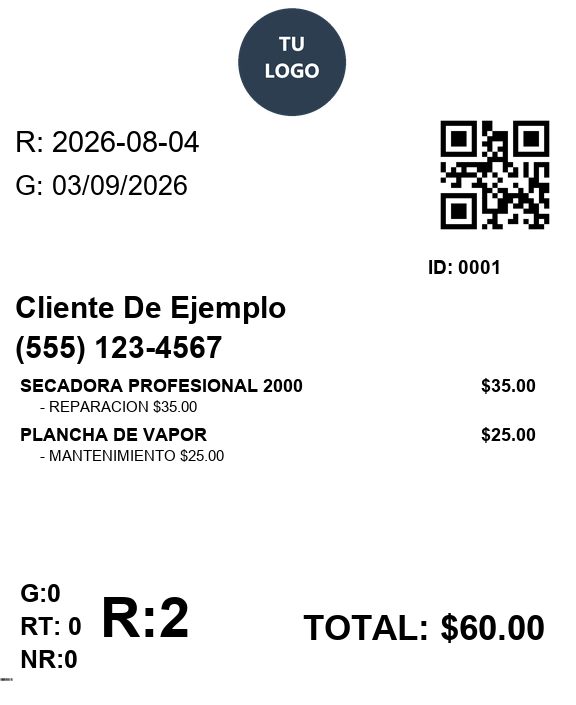
80 mm paper, the counter classic: the ticket comes out on the spot, with a tracking QR and status codes.

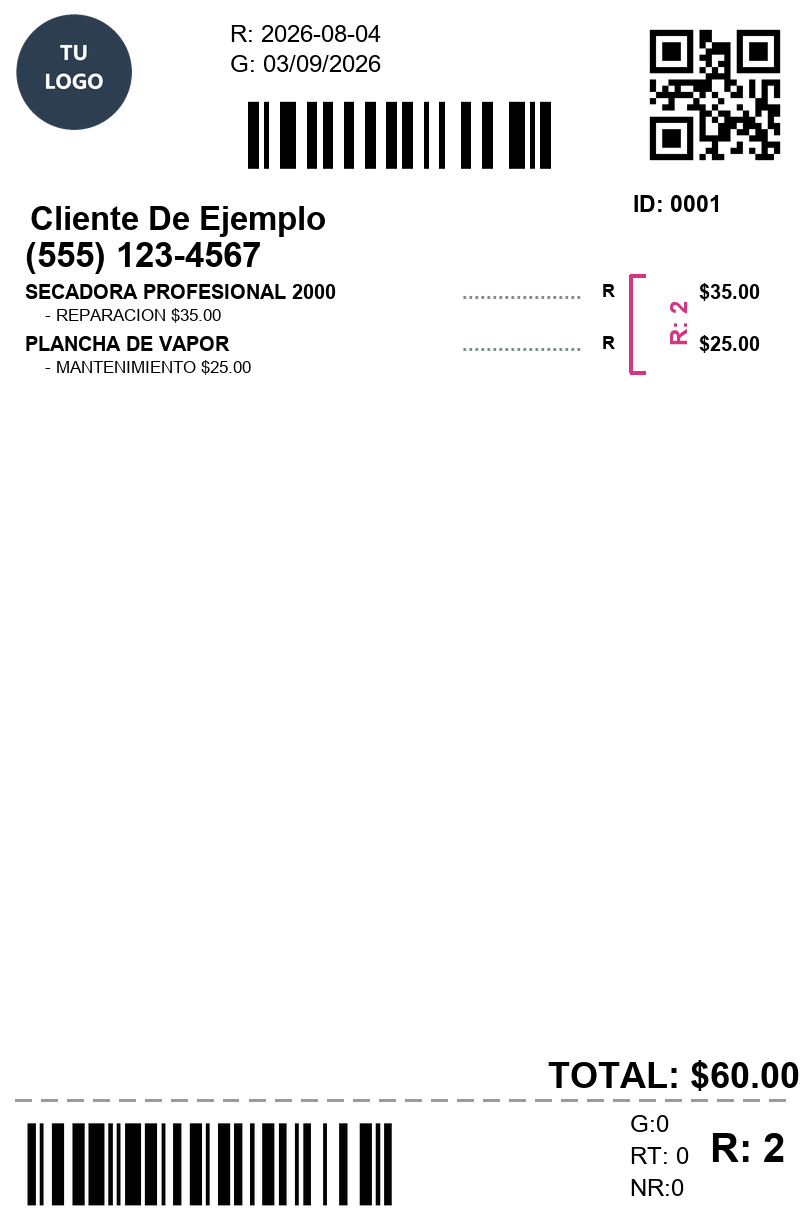
The label prints and sticks to the unit you received or repaired: folio, customer and barcode always in sight.

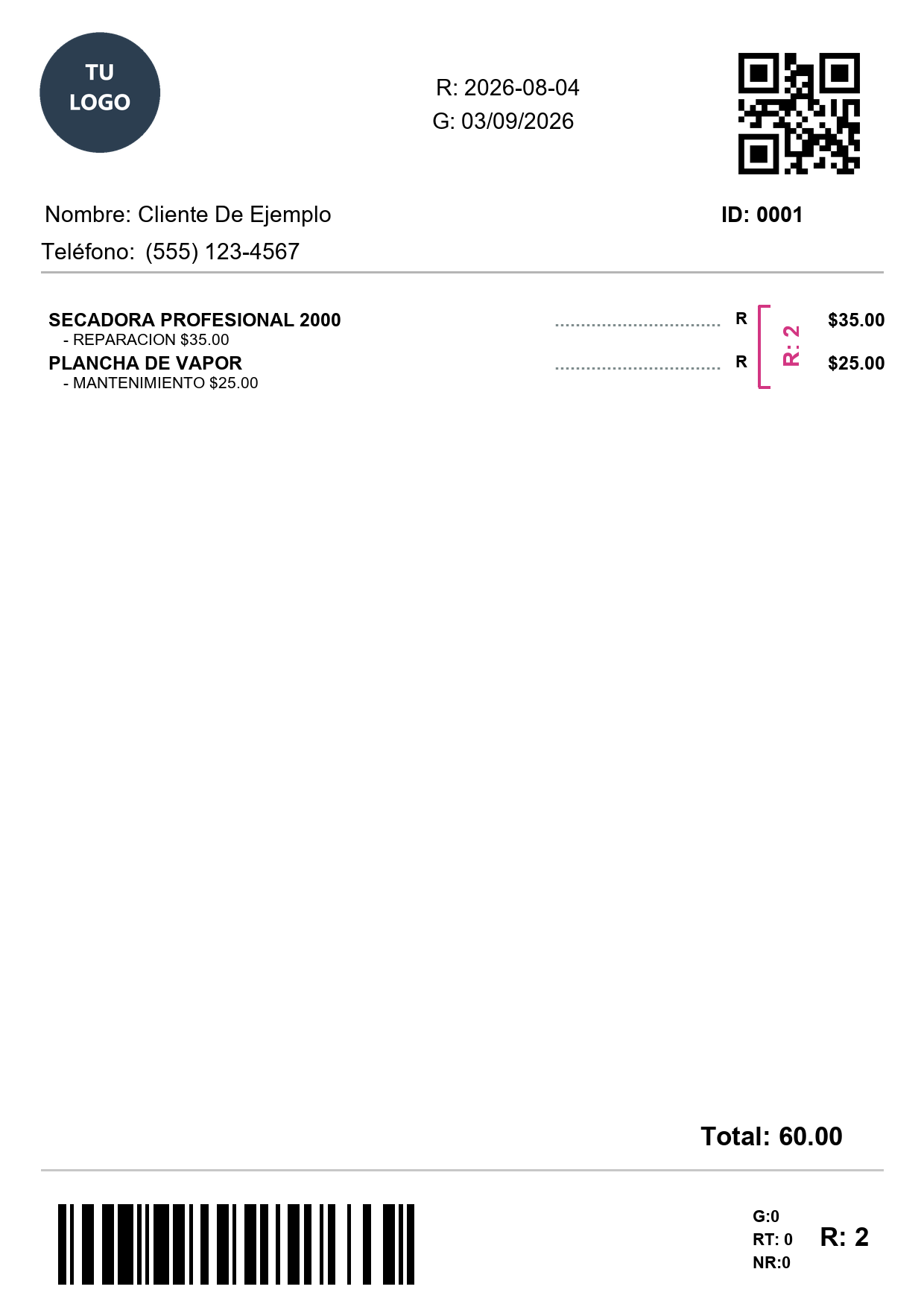
The full-page ticket: a formal report with QR, warranty and totals, ready to staple or file.
Real tickets: these samples came out of Assistant's print engine with its stock templates — what you see is what it prints.
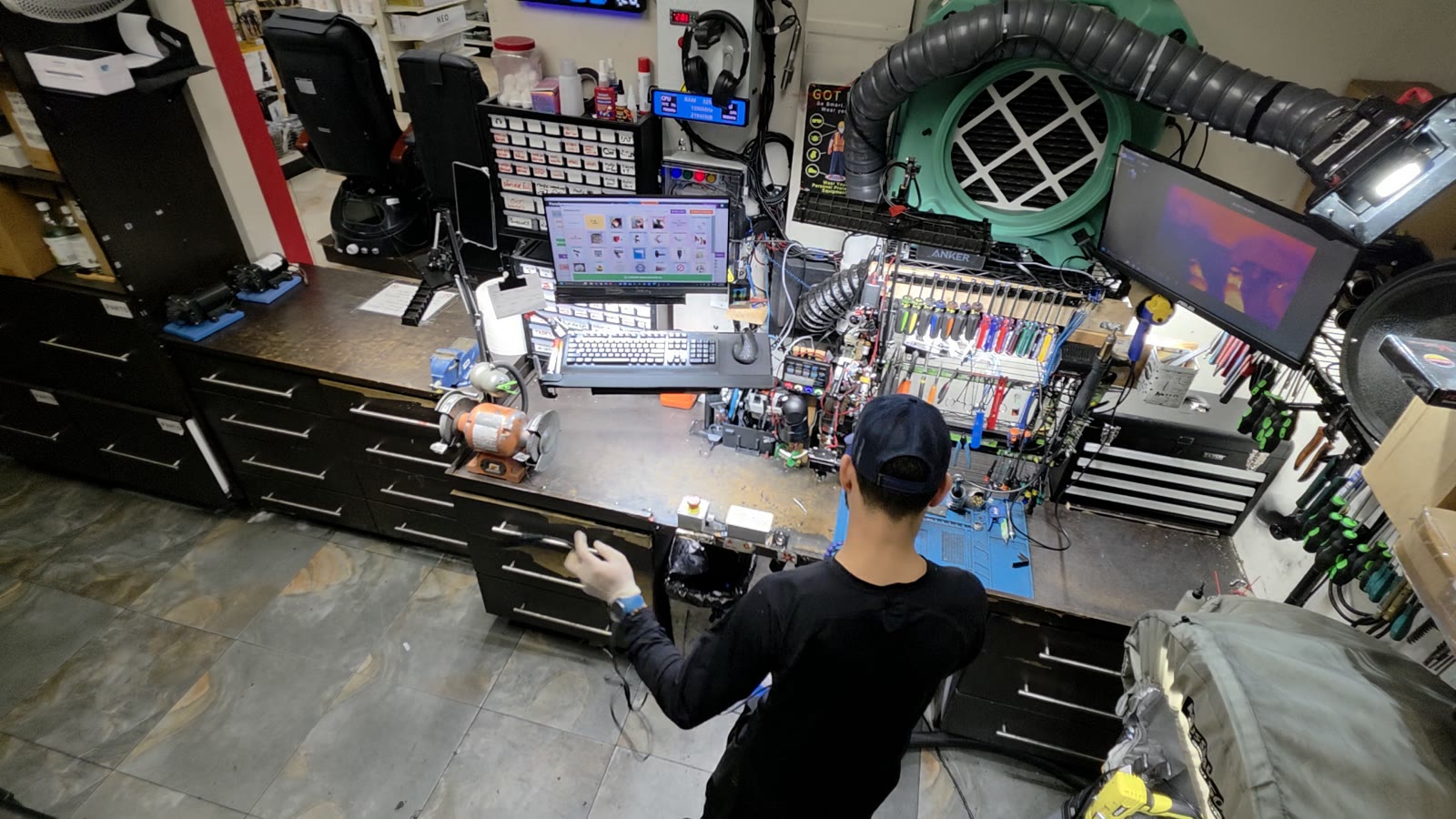
My workbench, Assistant on the screen. Any given Monday.
I’m Roberto. I repair blow dryers, clippers, flat irons and other salon equipment. I created Assistant because I needed it at the shop where I work — and while I repair, I test it and note what to improve. Sometimes I fall behind on repairs from polishing it. This software didn’t come out of an office: it came out of here.
Every version you download has already charged real repairs, served real clients and survived the front counter before reaching yours.
— Roberto · Paradoxon LLC
There’s never been a better time. Customers no longer want to toss and buy: they want to repair. And the law is on your side.
You bring the hands. Assistant brings the system — and doesn’t charge you for growing.
Sources: U.S. Bureau of Labor Statistics and U.S. Census Bureau — Repair and Maintenance sector — and U.S. PIRG. Checked August 2026.
Prices in US dollars. Taxes according to your country.
Every feature unlocked. No credit card required.
Updates and support for 12 months. If you stop renewing, the software keeps working - you keep the version you already paid for.
Pay once. Every update, forever. Nothing to renew, ever.
Ask your shop: “how much did I invoice this week?”, “which orders are more than 5 days old?” — Assistant is ready to connect to the AI assistant you choose. No extra monthly cost: the plug is yours, you bring the agent. And your data never leaves your computer.
Illustration of the flow. You choose the agent.
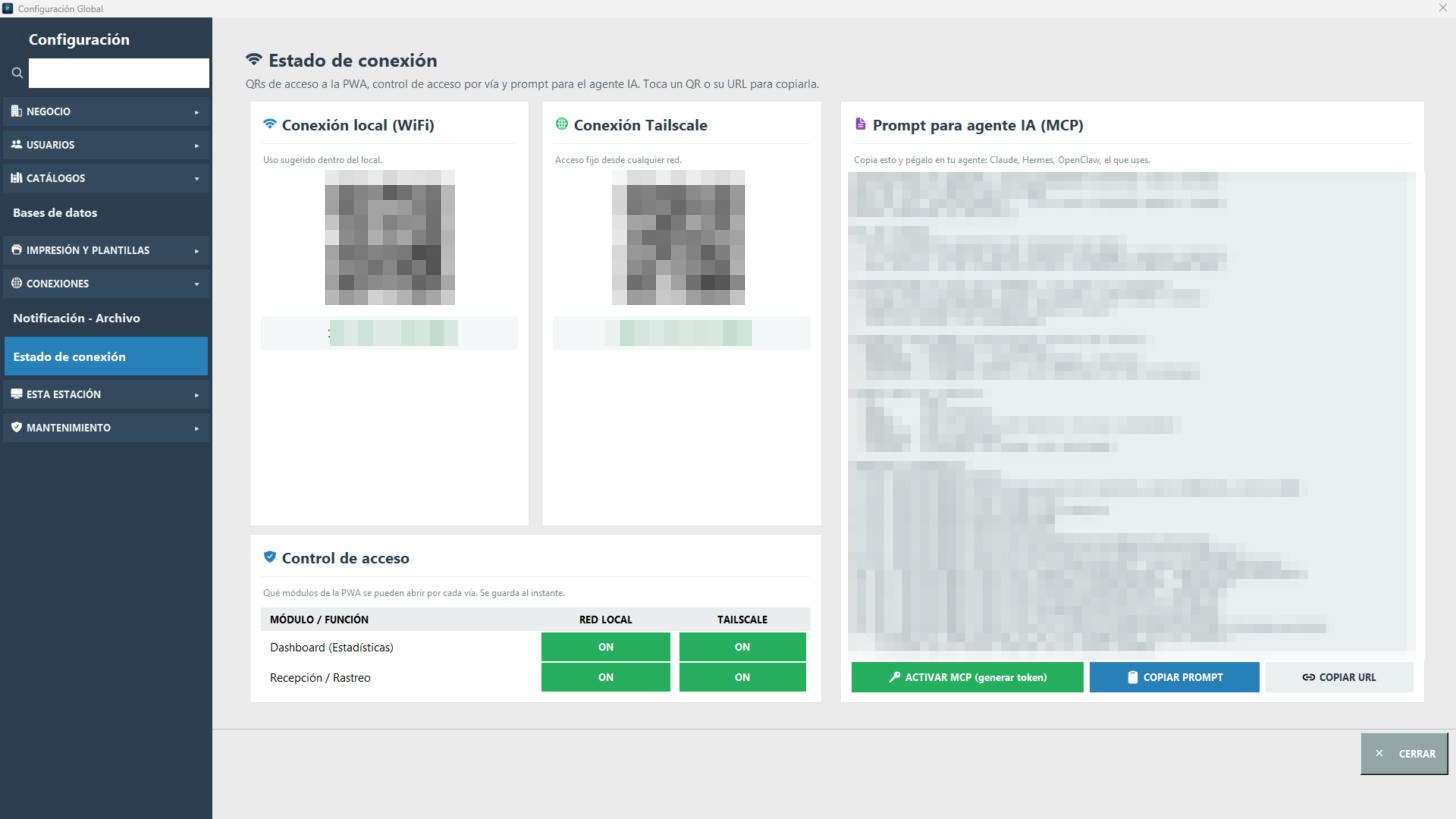
Real, in Assistant: Connections → Connection status. MCP is born closed: without your token, nobody gets in. (QRs, addresses and the prompt, censored.)
Three tools born in the same shop, for the same counter.
Assistant, WattMeter and Alternate in a single flow.
Repair orders, clients, front-desk PWA and reports. The heart of the shop.
Power-draw measurement for diagnostics with evidence.
Switch between your tools without dropping your work.
| Platform | Windows 11 |
|---|---|
| Requirements | 8 GB RAM · 4 GB SSD · Printers: Tickets 80mm, 4x6, A4 |
| Tech stack | Python · Flask · SQLite · PWA |
| License | Licencia comercial perpetua o anual |
For equipment repair shops. Assistant was born in a salon-tool repair shop — blow dryers, clippers, flat irons — and catalog categories are fully customizable: it works just as well for other electrical equipment and appliances.
No. Assistant runs locally on your Windows machine; your client and order data stays in your shop.
Any printer installed in Windows: thermal label printers and standard desktop printers. Each document type can use a different printer and paper size.
Yes. The Flex-Editor lets you design every template with drag and drop: text, your logo, dynamic tags and QR or barcodes.
A template variable that is automatically filled with each order's data: client name, order number, date, equipment, etc.
It uniquely identifies the order. When the customer returns, you scan the QR and their order opens instantly — no searching by name.
Yes. When receiving an item you can photograph it; the image is linked to the order as evidence of its condition at intake.
From the main panel, by name or phone. Their data and order history are reused on every new visit.
Yes, and they're configurable: assign shortcuts to frequent actions like creating an order, printing or searching for a client in Settings → Keyboard.
Nothing happens: you always see an exact digital preview and nothing prints until you confirm.
Windows 11. It installs on your computer: no external server or cloud account needed.
Yes. Assistant prints to any printer installed in Windows, and "Microsoft Print to PDF", the virtual printer built into Windows, is one of them: pick it for that document and Windows asks you where to save the file.
Both. In Settings → Databases, each table (customers, repairs, brands, models…) exports to an .xlsx file and imports from one; Assistant gives you the blank template with the right columns to fill in.
Yes, three kinds: a full backup in a .zip file, orders backups and customers backups. They run on their own as often as you choose (daily, weekly, every two weeks or monthly), go to the folder you pick, rotate so they never fill the disk, and restoring is one button.
Nothing bad: the software keeps working. You keep, forever, the last version you were entitled to. The only thing you stop receiving is new updates. Your software never locks and there is nothing to uninstall.
If you want the smallest upfront investment and to see how it goes, choose Annual: you pay less and the software is yours even if you never renew. If you know you will use it for years and want every future improvement without paying again, Lifetime works out cheaper in the long run.
No. The license is verified on your own computer. You only need a connection to activate it the first time. If your internet goes down, your shop keeps working.
One license activates one Server, the shop's main computer. Technician Client stations are unlimited and need no license. If you replace the Server or it breaks, you release the license yourself and activate it on the new one, up to twice a year. If you need more, write to me and I'll sort it out at no cost.
You release the license from the website with your key and your email, and activate it on the new machine. You lose nothing.
No. It is 14 days with absolutely everything enabled, no credit card needed. If you decide to buy, your data is still there: you do not start over.
Yes. Write to me and I will credit what you already paid for the current year.
It is yours and it lives on your computer, not on anyone else’s servers. You can export it whenever you want, even if your license has expired.
No. Unlimited technicians and locations, at no extra cost. That is the whole point.
Because the installer does not yet have a commercial digital signature. It is a standard Windows notice for new publishers; the downloads page explains the steps.
Assistant ships with an MCP connector: it gives the AI assistant of your choice access to your shop’s data to answer questions like how much you invoiced this week or which orders have been open for days. It is born closed — without your token nobody gets in — and your data never leaves your computer. No extra monthly cost.
No. Assistant is built for equipment repair shops — from salon tools to appliances — not for auto repair.
Paradoxon Assistant is the program that organizes a repair shop: orders, customers, printed tickets, equipment photos and customer notifications. It is built by one person who also repairs daily, so it is designed for the real front desk, with touch screen and a reception PWA.
Yes: a 14-day trial, no card required. The trial advances by the days you actually use Assistant, not by the computer's date.
Nothing shuts down: Assistant keeps working exactly the same. What ends is the right to new versions — not your program, not your data.
On your own computer. Assistant works with a local database; your customers and orders do not live in anyone's cloud.
Yes, fully bilingual, switchable from the app itself. The customer-facing reception page is bilingual too.
Yes: there is a server (the shop's main computer) and a Technician Client for a second station or branch, which connects to the shop's server.