

Assistant notifies your customers on its own, at five moments: when a unit is received, when it is ready, when it is delivered, when a repair is postponed, and when a warranty is about to expire. Each notice can go out by email, by SMS, by both, or by neither, depending on what the customer's file has checked.
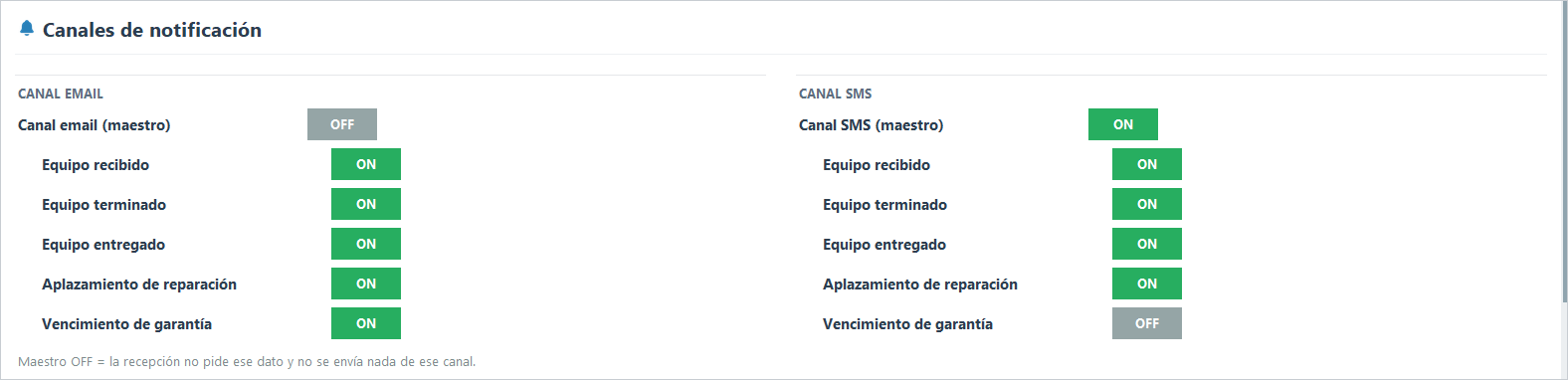
Everything is turned on and off in Settings → Notification - File. There you have the per-channel switches: one master for email, one master for SMS, and below them one switch per notice type. With a master off, reception does not even ask the customer for that data and that channel sends nothing.
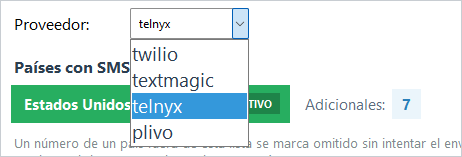
What you need before you start. Notices go out through accounts of yours: a Gmail account for email and an account with an SMS provider. Assistant works with four: Telnyx, Twilio, TextMagic, and Plivo. Contracting them, completing their verifications, and keeping them funded is your part, and each one has its own guide in this wiki.
How to test it. On the same screen, at the bottom, you have SEND TEST EMAIL and SEND TEST SMS. Set it up, save, and test: if something is missing, the message says so plainly.

How to know what happened to each notice. The send queue shows every message with its state: sent, failed (with a retry button), or skipped with its reason. A skipped notice is not an error: it is Assistant explaining why it decided not to spend that send, for example a country you have not enabled.
Related guides: set up email with Gmail · set up SMS with Telnyx, Twilio, TextMagic, or Plivo · send SMS to other countries.