

TextMagic is one of the four SMS providers Assistant works with. The account and the balance are yours; Assistant needs your username and an API key.
1. In the TextMagic portal. Create your account at textmagic.com, add funds, and generate an API key in the services menu. Also note your username. If you want to send from your own number or a sender name, set that up in your account; otherwise TextMagic uses its shared sender. The documentation is at docs.textmagic.com.
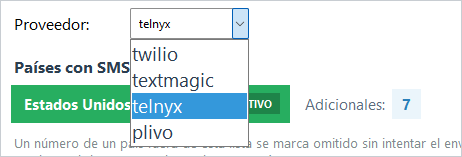
2. In Assistant. In Settings → Notification - File pick the textmagic provider, type the username, paste the API key and, if you have one, the number or sender (it can stay empty).
3. Save and test with SEND TEST SMS.
If something fails. Check the username and key (copy them exactly) and the account balance. If you send to other countries, add them in MANAGE COUNTRIES besides having them allowed in your TextMagic account.