

Plivo is one of the four SMS providers Assistant works with. The account, the number, and the balance are yours; Assistant needs three pieces of data.
1. In the Plivo portal. Create your account at plivo.com and buy an SMS-capable number. Your Auth ID and Auth Token are on the console overview. Add funds. As with other providers, in the United States there are sender registrations (10DLC or toll-free verification) that Plivo will ask for in the portal. The documentation is at plivo.com/docs/sms.
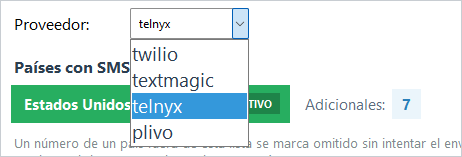
2. In Assistant. In Settings → Notification - File pick the plivo provider and paste the Auth ID, the Auth Token, and the sender number.
3. Save and test with SEND TEST SMS.
If something fails. Auth ID and Token must be copied exactly, the sender number goes complete with its country code, and destination countries are enabled in your Plivo account and added in MANAGE COUNTRIES too.